



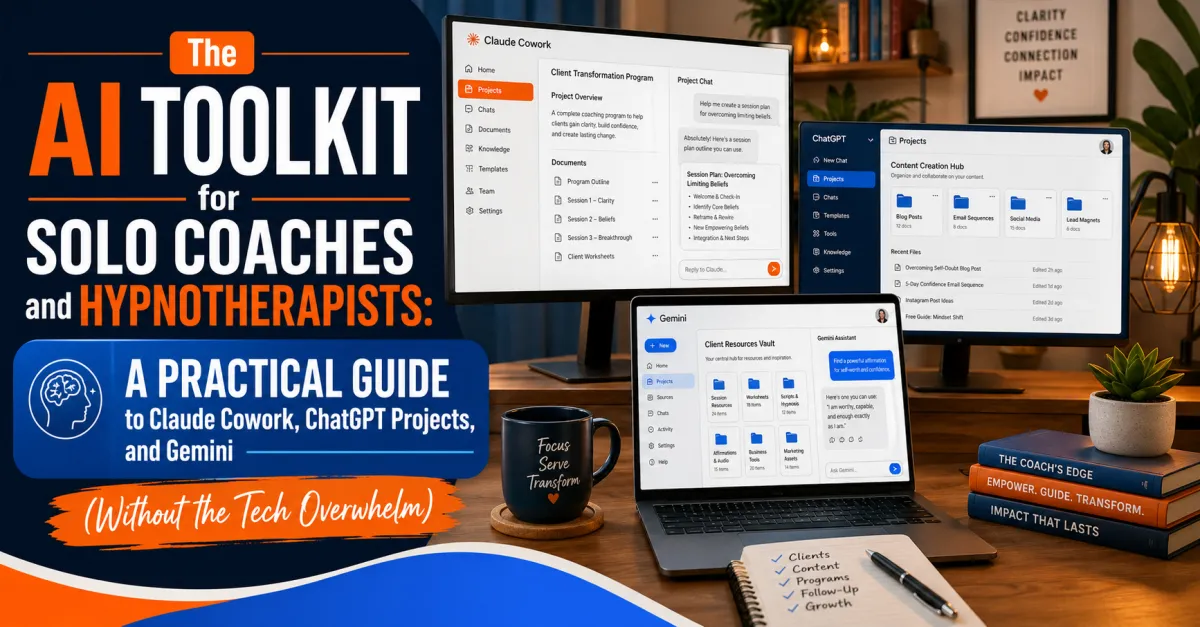
The AI Toolkit for Solo Coaches and Hypnotherapists: A Practical Guide to Claude Cowork, ChatGPT Projects, and Gemini (Without the Tech Overwhelm)
Let me tell you what nobody tells you when you start using AI tools for your coaching or hypnotherapy business: the chat window is the trap.
You ask ChatGPT to help you write your website copy. It does a decent job. You copy and paste it into a Google Doc. You ask it something else tomorrow, and you're starting from scratch, re-explaining your niche, your voice, your offer structure. You end up becoming what we call "cut and paste boy."
That's a $5-an-hour job. And AI can do it. The question is whether you've set things up so that it does.
This guide breaks down exactly how to use the three major AI platforms—Claude Cowork, ChatGPT with Projects, and Gemini—in a way that actually serves your business, without needing a computer science degree or a team of developers.
Why Most People Are Using AI Completely Backwards
The default assumption most new users bring to AI is that it's a fancy search engine or a very good autocomplete. You type a question. It answers. You copy the answer. You move on.
This approach works, technically. It just wastes most of the value.
The real leverage in AI tools for solo business owners isn't the individual answer—it's persistent context. It's the difference between having an assistant who knows nothing about you every morning, and having one who knows your business, your clients, your voice, your projects, and your working style deeply enough to actually think alongside you.
Here's how to build that with the tools you already have access to.
Claude Cowork: The System That Thinks With You (Not Just For You)
Claude Cowork is the most powerful tool in this stack, and it's the one most people know the least about. Here's what makes it fundamentally different from everything else.
It writes to files on your computer. Not just in a chat window that disappears when you close the tab. Actual files, in a folder you designate, that persist, update, and stay organized. Native files on your computer—not on a cloud somewhere.
When you first set up a Claude Cowork session, it creates a file called claude.md in your working folder. This file is essentially the system prompt—the instructions that Claude reads every time you start a new session. It's your persistent briefing document. It knows who you are, what you're working on, what your businesses are called, what your websites are, and how you like to work together.
From that foundation, the system builds out:
A core instructions file: Read this first. Only pull relevant information. These are the non-negotiables—your system prompt that Cowork reads first.
A memory file: All the contextual details—business names, client info, project statuses, preferences—that carry forward across sessions.
Output files: The actual documents, scripts, plans, and code that Claude produces, living in your folder, updated in real time.
Here's a practical example of what this unlocks. Say you want to track podcast episode ideas. Instead of asking ChatGPT for ideas, copying them, pasting them into a Google Doc, and then re-explaining your show's format next session, you have a single conversation with Claude. You tell it to maintain a running ideas document. Every new session, it reads the existing document, adds new ideas, and keeps the whole thing organized—without you touching the file directly.
Instead of all the AI work just happening in a chat window and living only there, it reaches out of the chat window and updates things. That's the fundamental difference.
The setup tip that makes this even better: If you use Google Drive's desktop sync app, you can make your Cowork folder the same folder that Drive syncs to. That means everything Claude writes automatically backs up to the cloud and becomes accessible across all your devices. You're not locked to one machine.
Cost: $20 per month for a Claude Pro account. It will time out occasionally when you ask it to do very large tasks, but for the vast majority of what coaches and hypnotherapists need, it's more than sufficient.
ChatGPT Projects: The Underused Feature That Fixes the Forgetting Problem
If you're using ChatGPT, you've probably experienced the frustrating moment when a very long conversation starts losing coherence—where the AI seems to forget what you said earlier. This is a real limitation: ChatGPT can only hold so much in its active context window at once.
The fix that most people don't know about is Projects—the folder system built right into ChatGPT.
Here's how it works:
1. You create a Project folder—call it "My Website" or "Client Onboarding Copy" or "Podcast Strategy."
2. Every conversation you have inside that folder is remembered across all chats within the project.
3. You can start a new chat when the current one gets too long, and ChatGPT will still remember the prior conversations.
So you might have one chat called "Homepage copy—first draft" and another called "About page and bio revisions." In the second chat, you can literally say, "Go back and look at the copy from our original chat and apply that same approach here." And it will.
This turns ChatGPT from a series of disconnected conversations into something that behaves more like a persistent creative collaborator on specific projects.
One more thing most people miss: You can use ChatGPT's voice input instead of typing everything out. When you type, you naturally compress and abbreviate. You leave out context because typing it out feels tedious. When you speak, you naturally give full context—you explain the situation, mention the constraints, think out loud. The result is dramatically better outputs with less back-and-forth. It's the single easiest thing to implement and one of the highest-return habits in this entire toolkit.
Gemini and Google Workspace: What It Can (and Can't) Do Right Now
Gemini is Google's answer to this space, and it's worth understanding both its current capabilities and its direction.
What Gemini can do today:
Read from Google Drive documents to power its Gems (custom AI configurations), staying synced if you update the file in Drive
Suggest email replies inside Gmail, with Gemini integration visible across Google Workspace
Potentially write to Google Docs in some configurations, depending on your Workspace plan—worth testing directly
What it can't yet do reliably:
Autonomously write code and produce custom outputs like dashboards or HTML files the way Claude Cowork can
Update its own memory and instructions based on your conversations
Act as a true agent that modifies files and executes multi-step tasks without manual triggers
That said, Google Workspace Studio is emerging as a workflow automation layer—and separately, Google Colab offers another avenue for more technical automation. Both are fairly new, and Google is investing tens of billions of dollars in this infrastructure. It would be unreasonable to assume they won't catch up to what Claude can do. The capability is clearly coming.
For now, the best use of Gemini for solo coaches is as a conversation partner and a Gems-based assistant, particularly if your workflow already lives heavily in Google's ecosystem.
The quick test: Open Gemini and ask it directly, "What are your capabilities? Can you write to Google Docs and maintain a document for me across conversations?" The answer will tell you exactly where things stand right now.
The Executive Coach in Your AI Stack: Building a Persistent Coach That Knows You
One of the most useful applications for coaches specifically—and one that almost nobody is talking about—is building an AI executive coach that accumulates knowledge about how you work.
Here's the approach: Create a custom GPT called something like "Atlas." Give it a knowledge base about you—your businesses, your roles, your team structure, your core projects, your working style, your tendency to procrastinate on certain things or overcommit to others.
Every morning, you have a brief check-in. You tell it what you're working on. It coaches you. It asks you the uncomfortable questions. It holds you to your stated priorities.
The challenge with keeping this in ChatGPT alone is that its knowledge gets stale—it can't update itself when your projects change. Here's the workaround:
1. Ask your ChatGPT coach to "tell me everything you know about working with me, as if you were training your replacement—behaviors, patterns, how I want to be coached, my strengths and weaknesses. Don't worry about tasks because those are all out of date, but focus on behaviors."
2. It will write a genuinely good essay about how you work.
3. Copy that essay into Claude Cowork and tell it to update your knowledge base document.
4. Now Claude has the living version, and ChatGPT contributed the accumulated wisdom.
This kind of cross-platform knowledge transfer sounds complicated but takes about 10 minutes and produces a context file that will make every future AI interaction dramatically more useful.
The AI Agent Framework: Chief of Staff and the Ego State Model
For those ready to go deeper, here's the framework that ties it all together.
Think of your AI stack as a team of specialists, each with a defined role—similar to the ego states model in parts-based therapy. When you need copywriting done, the copywriter ego state is at the table. When you need strategy, the strategist shows up. The key is having a central coordinator.
In Claude Cowork, you can set this up so that a single prompt triggers what we call the Chief of Staff—the central AI that receives your high-level command, distributes work to the specialist agents, synthesizes their outputs, and reports back. Each specialist does its work, writes its outputs to their respective files, and the Chief of Staff assembles the final result.
The ego states metaphor is actually a perfect way to think about how these AI agents work. Each one identifies with a specific role—copywriter, idea generator, project manager, tone-of-voice checker. You hand the project to the Chief of Staff, and the right ego states activate for the right tasks.
This is not science fiction. This is what's available right now for $20 a month. The difference between someone using this system and someone still copying and pasting between chat windows is not a small efficiency gain—it's a fundamentally different capability level.
In a single prompt, you can have all of your AIs doing all the work simultaneously and delivering the output. That's where this is heading, and the early adopters are already there.
Where to Start This Week
Before any of the advanced setup, here are the practical first steps:
1. Create a ChatGPT Project folder for your most important current project
2. Have a conversation inside it where you explain your business, your niche, your voice, and what you're building—as if briefing a new assistant
3. Try voice input for at least one session and notice the difference in output quality
4. If you're ready to go further, set up Claude Cowork, create your claude.md file, and start building your persistent knowledge base
Only about 5% of companies worldwide are currently using AI in any meaningful way. Of that group, the people using it the way we're describing here are a fraction. The gap between those who understand these tools and those who don't is already significant. In twelve months, what we're describing here will likely be considered the baseline.
Get in now. The basics we're teaching today are going to be the advanced level stuff in the next year or so. The window to get ahead of this is open, but it won't stay open forever.


