



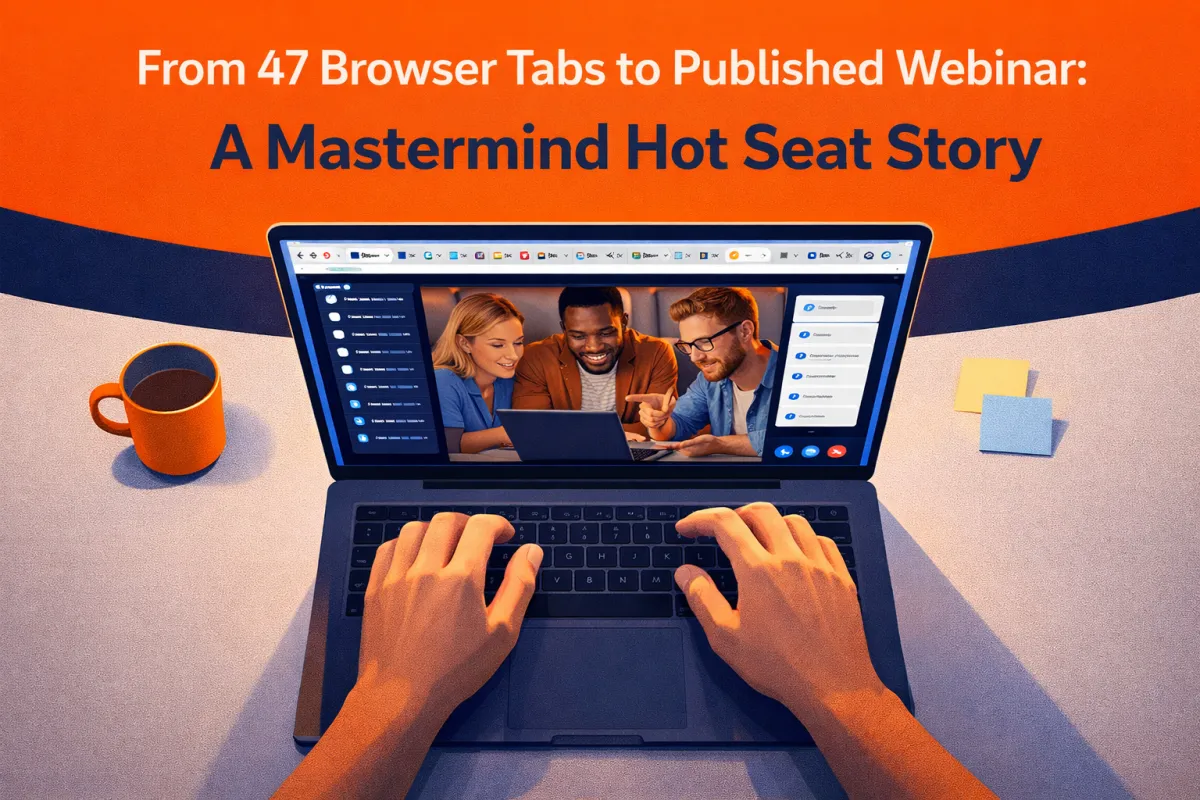
From 47 Browser Tabs to Published Webinar: A Mastermind Hot Seat Story
Tai White joined our mastermind call with 47 browser tabs open and a webinar happening in less than 24 hours.
"I don't know if the automation is actually connected," he said. "I'm looking at my execution logs to see if it actually did anything, and... nothing's happened."
Welcome to entrepreneurship. Where you're running full speed with duct tape and prayers, hoping everything holds together.
But here's what makes a mastermind different: you don't have to figure it out alone.
By the end of our call, Tai had:
A verified working workflow
11 people manually enrolled who'd been missed
Custom values set up for future webinars
A clear system he could replicate
This is the story of what happens when you bring your chaos to people who care enough to help you sort it out.
The "I Think I Published It" Moment
Tai pulled up his webinar automation. It looked good on the surface:
Form submission trigger
Confirmation email
Reminder emails 24 hours before, 1 hour before, etc.
Google Meet link included
But his execution log was empty. Nobody had gone through the workflow.
"I think people signed up before it was published," Tai said, working through the logic. "So I'm wondering how to get those people into the workflow now."
This is the reality of learning platform tools while trying to run your business. You build something. You think it works. Then you discover it didn't work. And now you need to fix it AND catch up the people who slipped through the cracks.
Stressful? Yes. Common? Extremely.
The First Debug: Is the Form Connected?
Timothy zeroed in immediately: "Click on the form submitted trigger. Not details, just click it."
Tai clicked.
The trigger showed "Contact Form 1."
Timothy explained: "This is a great example of why you always want to name your forms something that you'll absolutely know for certain, this is what it is. Right now, it's Contact Step 1. I don't know what this is. I don't know where it goes, what it's connected to."
Generic names are the enemy of debugging.
When you're staring at your workflow at 11 PM the night before your webinar (which Tai essentially was), you need to know IMMEDIATELY which form you're looking at.
The fix: Go find the form in your funnel. Edit it directly from the funnel page. Rename it something obvious like "Webinar Sign-Up" or "Power Hour Registration."
Tai renamed his to "Webinar Sign-Up" and saved it.
Back in the workflow, the trigger now showed the new name. Confirmed. Connected. We knew for certain it was the right form.
The Second Debug: Are Tags Being Applied?
Next step in Tai's workflow: Add tag "Webinar Registrant."
We clicked on it. The tag existed. The tag was correctly spelled.
Good.
Tags are how you track what people have done in your system. This tag would mark everyone who registered so Tai could:
See a list of registrants
Follow up after the webinar
Segment future communications
The tag was set up correctly. Moving on.
The Third Debug: Are Dates and Times Set?
Tai's workflow included setting the webinar date and time: February 12th.
That's tomorrow.
Which means if the workflow fired today, people would get reminders at the right time relative to tomorrow's webinar.
Good.
But here's where Timothy dropped the pro-level advice.
The Custom Values Game-Changer
Tai's emails had the Google Meet link hard-coded in each one.
Timothy asked him to click on one of the email steps and show us the link.
Tai clicked the paperclip icon in the email editor. The link was there. It pointed to a Google Meet URL.
Timothy said: "So right here, where it says URL, there's one thing that you can do here that most people don't know, and that's you can use something called a custom value."
He explained: "Then, on just the back-end settings, you can change just that custom value, and have whatever link you want, and it'll populate it wherever that custom value is."
Tai's eyes lit up. "So I don't have to... whenever the meeting link changes, it'll all just update?"
"Exactly," Timothy confirmed. "Because the way that you have it now, if you change this link, you've given yourself another hour of work. You have to go in, manually check everything."
This is what a mastermind does. It takes you from "functional but fragile" to "systematic and scalable."
The same applies to:
Event start time
Event location
Any information that appears in multiple places
Set it once as a custom value. Reference it everywhere. Change it once when needed. Everything updates.
For this webinar though? Tai was running tomorrow. We marked it as "for next time" and moved on.
The Real Problem: Was It Published?
We'd verified:
Form trigger was connected
Tags were configured
Emails had content
Links were in place
But nobody was in the execution log.
I pulled up Tai's account on the back end while we talked.
"You have 11 submissions on that form," I told him.
Tai did a test submission during our call. Now it showed 12.
I checked the execution log. Now there was 1 person enrolled: Tai.
The workflow was live NOW. But it hadn't been live BEFORE.
Mystery solved.
The Manual Enrollment Solution
Eleven people had signed up for Tai's webinar. They never got confirmation emails. They never got reminder emails.
They probably forgot about it entirely.
Timothy walked Tai through the fix:
Option 1: One-by-one enrollment
1. Go to Contacts
2. Find the person
3. Click their name
4. Scroll to Automations
5. Click + Add
6. Select the workflow
7. Click Add
We did this with one person - Pfizer - as a test.
Boom. Email fired immediately. "You're registered for the Power Hour."
It worked.
Option 2: Bulk enrollment (which we explored but Tai did manually)
1. Create a Smart List filtered by form submission or date created
2. Select all contacts in that list
3. Bulk action: Add to workflow
With only 11 people, Tai decided to just do them one by one while we continued helping others.
In the chat, Tai posted: "People inserted into the workflow manually and emails updated with custom values!" followed by fire emojis.
Success.
The Testing Protocol That Should Be Standard
Here's what Tai should have done BEFORE people started signing up (and what YOU should do):
1. Build your workflow in draft mode
2. Fill out your own form as a test
3. Check Enrollment History - Are you in there?
4. Check Execution Log - Did the emails fire?
5. Check your inbox - Did you receive them?
6. Only then publish and share the form
Timothy explained the two log types:
"Enrollment History is going to show you when people enter the workflow. Execution Log is going to show you granularly each step."
If you're not in Enrollment History after filling out your form, your trigger isn't connected properly.
If you're in Enrollment History but nothing's in Execution Log, your actions aren't firing.
These two logs are your diagnostic tools. Use them.
The Breakthrough Moment
Midway through the call, Tai said something that made me smile:
"This has honestly been a breakthrough week. I was like, I feel like I'm actually using the platform."
THIS is what we want.
Not just having the tool. Not just watching the tutorials. Actually USING it. Building something real. Testing it. Breaking it. Fixing it. Publishing it.
As I said on the call: "The point of the Mastermind was meant to be that we work together. Common group of people, common platform, common processes. We can help each other because we're all on the same platform."
Tai brought his problem. We diagnosed it together. He left with a working system and people enrolled for his webinar.
That's the power of community.
The 47 Tabs Philosophy
Daniel Hanscom joked in the chat: "47 tabs.com - More tabs. Less Shame."
Tim Biden followed up: "47 tabs, and nothing's on."
Tai's response was perfect: "When you look closely, the 48th tab bends as you bend. And then you realize there is no tab."
We all laughed. Because we've all been there.
You're researching how to do something. You find 6 different articles. You open them all. You find related topics. More tabs. YouTube tutorials. More tabs. Help documentation. More tabs.
Before you know it, you have 47 tabs open and you're not sure which one actually has the answer you need.
This is the reality of being a solopreneur in the digital age. Information overwhelm while simultaneously trying to execute.
A mastermind cuts through that.
You don't need 47 tabs when you can share your screen and have experienced people say "click here, change that, test this."
What Don Learned (And Why It Matters to You)
Don Ray had a different problem. He's a hypnotist getting ready to scale. His current website was built for the hypnosis school he came from, but he wanted a more generalist site that would appeal to broader audiences.
He also needed nurture sequences running in the background.
Timothy's advice was perfect:
"If you're changing your audience, I would suggest you go back through the Pykthos Growth System, because the marketing messaging that you're going to be using, if you're building all these emails and updating the copy on your website, none of it's going to matter if you still don't know who you're talking to."
You can have the perfect automation workflow. You can have a beautiful website. But if you don't know WHO you're talking to and WHAT they need to hear...
None of it works.
Timothy continued: "Still pick one type of person you're going to talk to, and still talk to them. Even if that's your bullseye, you're still gonna hit people on the outside."
This is the coaching that matters. Not just technical help. Strategic clarity.
Don left with homework: Update his Brand Message Blueprint with his new audience in mind, then use that to inform his website copy and email sequences.
The Meta-Lesson About Platform Tools
Tim Biden's confession at the start of his hot seat resonated with me:
"I have done almost everything without the instruction from the Pykthos system. It did not work with the way my mind works."
He'd built a basic workflow by cobbling together YouTube tutorials and intuition.
Was it perfect? No. Did it work? Mostly. Did he understand it? Not really.
We walked him through:
How triggers connect to forms
How tags drive segmentation
How to build a newsletter Smart List
How to test workflows
How to cascade workflows with tags
By the end, Tim said: "This has been awesome. I appreciate that. This finally makes sense."
The education is there. The help docs exist. The YouTube tutorials are available.
But sometimes you need someone to look at YOUR specific situation and say "here's what's wrong, here's how to fix it."
What to Bring to Your Next Hot Seat
If you're thinking about joining a mastermind or attending a hot seat session, here's what you should bring:
1. Something you've already built (even if it's broken)
2. A clear problem statement: "I don't know if this workflow is connected" or "I need to change my messaging but don't know where to start"
3. Your desired outcome: "I want to know this works before my webinar tomorrow" or "I need to build a newsletter list"
As I said at the start of the call: "When you introduce your thing, say what you have, what your problem is, but also make sure you're really clear about what would you like to have happen. What could we help you most with that would move you forward?"
Don't just show up and say "look at my site." Show up and say "look at my site, I'm worried the hero section isn't compelling, and I don't think my call-to-action is clear."
Now we can help.
The Promise of This Approach
Hot seats aren't just valuable for the person in the hot seat.
April showed us AI website building. Now everyone knows how to do it.
Tai showed us webinar workflow debugging. Now everyone knows how to test workflows.
Tim showed us newsletter list building. Now everyone has a template.
Don reminded us that messaging comes before tactics. Now everyone remembers to revisit their audience first.
We all move forward together.
That's the philosophy of the three Ps:
People (we're all helping people)
Platform (we use the same tools)
Processes (we follow the same marketing principles)
When one person figures something out, we can literally copy that success into everyone else's account.
No reinventing wheels. No rebuilding basic plumbing. Just proven assemblies that work.

Your Next Step
If you're sitting there with 47 tabs open, wondering if your workflow is connected, questioning whether your emails are even sending...
You don't have to figure it out alone.
Bring it to a hot seat. Share your screen. Ask for help.
The worst case? We find the problem and fix it in 15 minutes.
The best case? We find the problem, fix it in 15 minutes, AND teach you a systematic approach you can use forever.
That's what happened for Tai. That's what happened for Tim.
That's what can happen for you.
Want to join our next hot seat call? Check out the Pykthos Mastermind here: https://pykthos.com/mastermind
Want to see what we’re about? Join our FREE Strategy Café and get LIVE help with us on a call without ever having to buy a darn thing: https://pykthos.com/cafe


